

Description
The email click rate, also known as click rate, is the percentage of people who clicked on at least one link in your message. As a result, you can measure part of your email's effectiveness by looking at how many people clicked on at least one link.
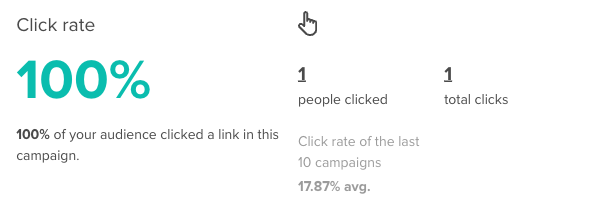
Why it matters
You should use click rate with other key performance indicators when analyzing your email campaign's effectiveness. Therefore, you could use this to see which links attract the most attention after your audience opens your email. Remember to use this data to improve your strategies and plan your marketing efforts.
How email click rates are calculated
Click rate:
Code
Expected results: Between 3% – 10%
The following variables can influence your email click rate:
- Email objective: Sending "Happy Holidays" by email might not get you the most clicks
- Interest: Keeping your campaigns targeted will ensure they get more attention
- Link placement: People are unlikely to see your link if it's hidden in your email footer
- Amount of information in the email: Too much information will discourage people
Sending a short and concise email is preferred
When reading emails, people's attention span is 15 to 20 seconds. For this reason, make sure your emails always contain a variety of links to other resources.
Distinguishing between click-to-send and click-to-open
There are two types of clicks, but only one type of open. When a campaign is opened, it means that people can click on its links. Click-to-send refers to the percentage of people who clicked on all sent items. Click-to-open represents the total number of clicks on the total number of opens.
Here's an example:
We sent a campaign to 196 contacts.
47 people opened it, resulting in an open rate of 24% (47/196)
In the campaign, 10 people clicked on a link.
As a result:
- Click-to-send = 10: rate is 5% (10/196)
- Click-to-open = 10: rate is 21% (10/47)
Troubleshooting
Click rate below expected range of 3-10%
- Review your email design - ensure CTAs are prominent and above the fold
- Test different button colors and sizes to improve visibility
- Reduce the amount of text and focus on a clear call to action
- Check if links are relevant to your audience's interests
Click tracking shows 0% despite opens
- Check that link tracking is enabled in campaign settings
- Verify all links in your email are trackable (not mailto: or tel: links)
- Some security software strips link tracking - this is normal
- Test with different email clients to identify client-specific issues
Different click rates in various reports
- Understand the difference between unique clicks and total clicks
- Click-to-send vs Click-to-open will show different percentages
- Check the date range selected in your reports
- Verify which metrics you're comparing (people vs clicks)
Related Articles
- Tracking click rate activity - Monitor link engagement
- Creating UTM tracking links - Advanced click tracking
- Understanding open rates - Email engagement overview
- Adding a video to a campaign - Increase click engagement
- Understanding campaign reports - Complete analytics guide